

To support our research and detailed appliance reviews, we may earn a small commission from qualifying purchases made through our links, at no extra cost to you. As an Amazon Associate, I earn from qualifying purchases.
To support our research and detailed appliance reviews, we may earn a small commission from qualifying purchases made through our links, at no extra cost to you. As an Amazon Associate, I earn from qualifying purchases.
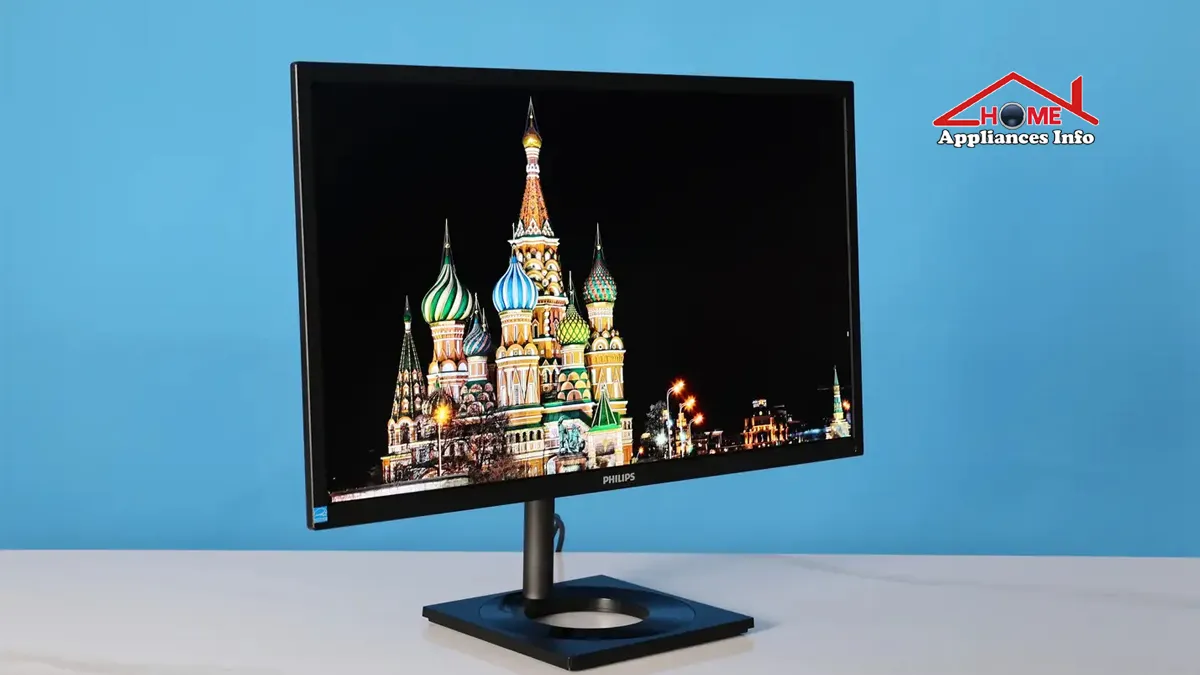
The Philips 27E1N8900 is an unusual monitor in today’s OLED market. It combines a sharp 4K OLED panel with professional color coverage, USB-C charging, a built-in KVM switch, and a fully adjustable stand—but it is limited to a 60Hz refresh rate.
That combination raises an important question: is an older-generation 4K OLED monitor still worth buying when newer OLED displays offer much faster refresh rates?
The answer depends heavily on how you use it. For photographers, designers, video editors, laptop users, and anyone who values image quality and productivity features over competitive gaming speed, the 27E1N8900 can still be compelling at the right price. For serious gamers, however, its 60Hz limit is difficult to ignore.
This review looks beyond the specification sheet to explain where the monitor still makes sense—and where newer alternatives may be the better investment.
Philips 27E1N8900 at a Glance
| Feature | Specification |
|---|---|
| Screen size | 26.9 inches |
| Panel technology | OLED |
| Resolution | 3840 × 2160 (4K UHD) |
| Refresh rate | 60Hz |
| Pixel density | Approximately 163.78 PPI |
| Response time | 0.1ms |
| Contrast ratio | 1,000,000:1 typical |
| Color depth | 10-bit / approximately 1.07 billion colors |
| Adobe RGB | Approximately 99.6% typical |
| DCI-P3 | Approximately 99.7% minimum |
| HDR | VESA DisplayHDR True Black 400 |
| USB-C charging | Up to 90W Power Delivery |
| Video inputs | 2 × HDMI 2.0, 1 × DisplayPort 1.4 |
| Productivity features | USB hub, KVM, MultiView |
| Ergonomics | Height, tilt, swivel, and pivot |
| VESA mount | 100 × 100 mm |
Regional versions may use different suffixes, such as 27E1N8900/00, /27, /94, or /96, and availability can vary. Buyers should therefore check the exact specifications and warranty for the version sold in their country.
Display Quality: The Main Reason to Buy It
The strongest argument for the Philips 27E1N8900 4K OLED is straightforward: OLED and 4K resolution make an excellent combination for detailed visual work.
Unlike a conventional LCD monitor, an OLED display controls light at the pixel level. Individual pixels can effectively switch off to produce very deep blacks. This gives dark scenes and shadow-heavy images a level of contrast that conventional edge-lit displays often struggle to reproduce.
In practical use, that can benefit several types of work:
- Photo editing with dark and detailed images
- Video editing and color-sensitive projects
- Graphic design and digital illustration
- Watching films and HDR content
- Premium everyday desktop use
The 3840 × 2160 resolution is equally important. On a 26.9-inch screen, the monitor reaches approximately 163.78 pixels per inch. Text, photographs, interface elements, and detailed graphics can therefore appear very sharp.
There is also a productivity advantage to 4K resolution. A large spreadsheet, editing timeline, or image workspace can display more information at once, depending on your operating system’s scaling settings.
Color Accuracy and Creative Work
The Philips Momentum 27E1N8900 is positioned more toward creative and professional users than dedicated esports players.
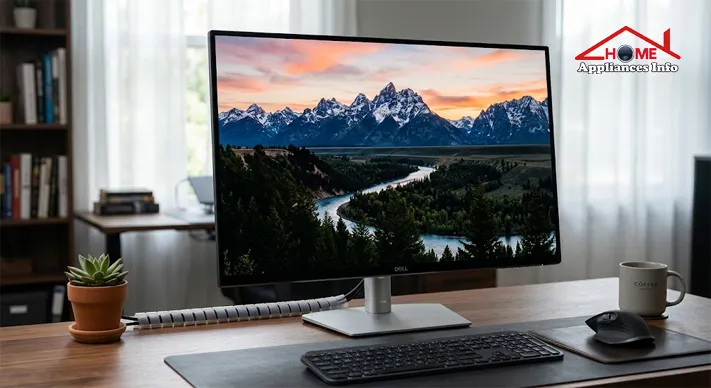
Philips lists wide color coverage, including approximately 99.6% Adobe RGB coverage and a minimum DCI-P3 specification of approximately 99.7%. It also supports 10-bit color and lists a Delta E value below 1.
These figures can sound technical, but their purpose is practical.
Color gamut describes the range of colors a display can reproduce. Wider color spaces can be useful when working with photographs, video, and other media created for professional workflows.
Adobe RGB is particularly relevant to some photography and print-oriented workflows, while DCI-P3 is widely associated with modern digital video and wider-gamut content.
A low Delta E specification indicates that the display is designed for good color accuracy. However, professionals doing commercial work where color must match across multiple devices should still consider proper calibration.
Factory specifications are useful, but room lighting, workflow requirements, and long-term display behavior can all affect real-world color management.
A strong fit for creative professionals
This monitor makes particular sense for users who care more about image fidelity than extremely high motion performance.
Potential users include:
- Photographers
- Graphic designers
- Video editors
- Digital artists
- Content creators
- CAD and detailed visual-work users
For these audiences, a 4K OLED monitor for creative professionals can be more valuable than a lower-resolution display with an extremely high refresh rate.
HDR Performance: What Does DisplayHDR True Black 400 Mean?
The monitor carries VESA DisplayHDR True Black 400 certification.
HDR, or High Dynamic Range, is about more than simply making a screen brighter. A convincing HDR image requires a useful relationship between bright highlights, dark areas, and visible detail between them.
OLED technology has an inherent advantage here because of its ability to produce extremely deep blacks. A bright object against a dark background can therefore appear more visually striking than it might on a display with weaker black levels.
Philips also provides HDR modes intended for different uses, including gaming, movies, and photos.
Still, expectations should remain realistic. The Philips 27E1N8900 is not designed to be the brightest HDR display on the market. Buyers seeking dramatic, sustained high-brightness HDR for demanding content should compare it with newer premium OLED and Mini-LED monitors.
HDR results can also vary depending on the operating system, application, game, and source material. Certification is valuable, but it does not mean every HDR experience will look identical.
Design and Ergonomics Matter More Than They Seem
A premium display is easier to live with when it can be positioned properly.
The Philips 27E1N8900 includes an ergonomic stand with:
- Up to 130 mm of height adjustment
- Tilt adjustment
- Swivel adjustment
- 90-degree pivot support
It also supports a 100 × 100 mm VESA mount.
The pivot function can be particularly useful for coding, long documents, portrait photography, and vertically oriented content.
For someone spending eight hours or more at a desk, adjustability is not a minor feature. A beautiful display positioned too high, too low, or at an uncomfortable angle can still create a poor workspace.
Connectivity Is One of Its Biggest Practical Advantages
Many OLED monitors focus heavily on gaming specifications. The 27E1N8900 takes a more productivity-oriented approach.
Its connectivity includes:
- 2 × HDMI 2.0
- 1 × DisplayPort 1.4
- USB-C 3.2 Gen 1
- USB hub functionality
- Built-in KVM switch
USB-C with up to 90W Power Delivery
For laptop users, USB-C is one of the monitor’s most useful features.
With a compatible laptop, a single USB-C cable can potentially handle:
- Video output
- Data transfer
- Laptop charging
That can significantly simplify a desk setup.
Imagine connecting a compatible laptop in the morning with one cable instead of separately connecting a charger, monitor cable, and USB accessories. The monitor can act more like the center of the workspace.
There are important compatibility requirements, though. The laptop must support the relevant USB-C Power Delivery capabilities for charging, and it must support DisplayPort Alt Mode for video transmission over USB-C.
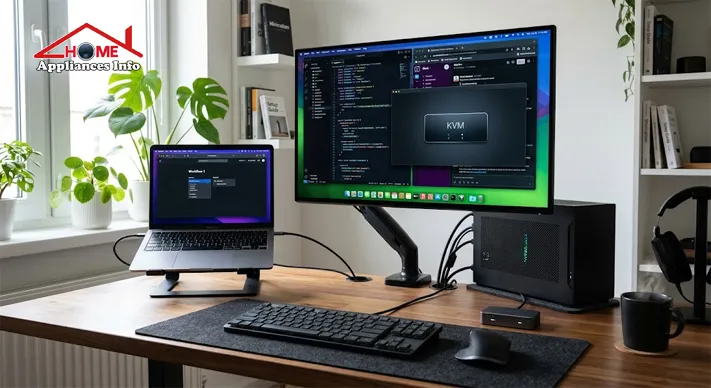
The built-in KVM switch
The KVM feature is especially useful for people who work with two computers.
For example, you might have:
- A desktop PC for demanding work
- A laptop for office or travel tasks
- One keyboard and mouse
A KVM switch can help you share peripherals between the connected computers rather than maintaining separate input devices for each system.
Combined with MultiView, which supports viewing two connected sources, this makes the monitor more versatile than a basic single-purpose display.
Productivity and Eye-Comfort Features
The monitor includes several additional features aimed at everyday usability.
These include:
- MultiView picture-by-picture support
- Flicker-Free technology
- LowBlue Mode
- EasyRead mode
- SmartImage settings
Such features can be useful, but they should not be interpreted as a substitute for sensible screen habits.
Even a high-quality monitor can become uncomfortable if the brightness is set excessively high, the viewing distance is poor, or the user spends long periods without taking breaks.
The value here is flexibility. Different tasks may benefit from different settings, and users can adjust the display to better suit reading, general work, and visual content.
Philips 27E1N8900 Gaming Performance: The 60Hz Question
This is where the monitor becomes more difficult to recommend universally.
OLED pixel response is extremely fast, and Philips lists a 0.1ms typical response time. Combined with deep blacks and excellent image quality, games can look impressive.
The monitor should be enjoyable for:
- Story-driven games
- Strategy games
- Adventure titles
- Slower-paced games
- Casual gaming
- Cinematic experiences
However, the refresh rate is limited to 60Hz.
That matters because refresh rate and pixel response are different things. A fast OLED pixel can change state quickly, but a 60Hz display still presents a maximum of 60 refresh cycles per second.
Modern gaming OLED monitors commonly offer 120Hz, 144Hz, 165Hz, 240Hz, or even higher refresh rates.
Is 60Hz a deal-breaker?
Not necessarily.
If you mainly work, edit photos, watch movies, and occasionally play games, 60Hz may be perfectly acceptable.
But if you play competitive shooters or fast-paced esports titles, the difference between 60Hz and a modern high-refresh-rate monitor can be substantial.
For that buyer, the Philips 27E1N8900 gaming performance is good in image quality but less competitive in motion smoothness.
This is better understood as a professional OLED monitor that can game well—not a gaming monitor designed around maximum refresh rate.
OLED Burn-In and Text Use: Important Ownership Considerations
Any honest Philips 27E1N8900 review should discuss OLED ownership beyond picture quality.
OLED displays can be susceptible to image retention and, over longer periods, permanent burn-in under certain conditions. Static elements are particularly relevant to desktop use.
Examples include:
- Persistent taskbars
- Application toolbars
- Spreadsheet interfaces
- Fixed windows
- Static desktop elements
Burn-in is not inevitable, and modern OLED displays include various protective measures. However, people who spend many hours every day with the same static office interface should understand the potential trade-offs before buying.
Warranty terms and OLED protection features can also vary by region, so those should be checked before purchase.
What about text clarity?
The 4K resolution and high pixel density help produce a sharp desktop image. Still, text rendering on OLED can be perceived differently from traditional LCD displays depending on the panel structure, operating system, scaling, viewing distance, and individual sensitivity.
For extensive text-based office work, consider how you personally use a monitor. A user who spends all day reading documents may prioritize different characteristics than a photographer who spends most of the day editing images.

Is It Good for MacBook and Laptop Users?
The Philips 27E1N8900 is particularly appealing to users who want a large external display without turning their desk into a collection of cables.
A compatible MacBook or other USB-C laptop may be able to use one cable for display output, USB connectivity, and charging.
That does not mean every USB-C laptop will work in exactly the same way.
Before buying, check:
- Whether the laptop supports DisplayPort Alt Mode.
- Whether it supports the required charging profile.
- Its maximum supported external display resolution and refresh rate.
- Any limitations imposed by the laptop’s processor or graphics hardware.
For a user switching between a MacBook and desktop PC, the combination of USB-C, multiple video inputs, USB peripherals, and KVM functionality can be especially useful.
Philips 27E1N8900 Pros and Cons
Pros
- Excellent 4K OLED image quality
- Deep blacks and extremely high contrast
- High pixel density for a 27-inch-class screen
- Wide color coverage for creative work
- DisplayHDR True Black 400 certification
- USB-C connectivity with up to 90W Power Delivery
- Built-in USB hub
- KVM functionality
- MultiView support
- Fully adjustable ergonomic stand
- Strong suitability for photo, video, and design workflows
Cons
- Limited to 60Hz
- Not ideal for competitive high-refresh-rate gaming
- OLED burn-in considerations for heavy static use
- HDR brightness may not satisfy buyers seeking the brightest premium HDR displays
- Regional pricing and availability can vary
- Newer OLED generations may offer more advanced features
Who Should Buy the Philips 27E1N8900?
This monitor can be a strong choice for buyers who prioritize visual quality and connectivity.
It is particularly suitable for:
- Photographers
- Graphic designers
- Video editors
- Digital content creators
- Professionals working with wide color spaces
- Laptop users wanting single-cable connectivity
- Users with both a desktop and laptop
- Movie and entertainment enthusiasts
- People who value image quality more than extreme refresh rates
The combination of OLED contrast, 4K detail, USB-C charging, and KVM functionality remains practical even as newer OLED displays enter the market.
Who Should Avoid It?
Other options may make more sense if your main priority is:
- 144Hz or higher gaming
- Competitive esports
- Extremely smooth fast-motion performance
- The brightest available HDR experience
- Long hours of highly static office applications
- The newest OLED panel technology
A newer high-refresh-rate OLED may cost more, but it could provide better long-term value for a gaming-focused buyer.
Is the Philips 27E1N8900 Still Worth It?
The answer depends less on the monitor’s age than on its current price and your priorities.
The Philips 27E1N8900 still has a compelling specification combination: 4K resolution, OLED contrast, wide professional color coverage, USB-C charging up to 90W, a KVM switch, MultiView, and strong ergonomic adjustment.
For creative work, that remains a highly practical package.
The major compromise is the 60Hz refresh rate. In a market filled with increasingly fast OLED monitors, it is no longer the obvious choice for buyers who divide their time heavily toward competitive gaming.
If the price is competitive, the Philips Momentum 27E1N8900 can still be an excellent professional-focused OLED display. If it is priced close to a newer 4K OLED with a much higher refresh rate, the decision becomes harder.
Some searchers may use the phrase “Phillips 27 inch OLED Monitor 27E1N8900 REVIEW,” although the correct brand spelling is Philips. Regardless of the spelling used in a search, the key buying question remains the same: does this monitor fit the way you actually work, create, and play?
For photographers and creators, the answer may still be yes. For competitive gamers, a newer high-refresh-rate alternative is likely to make more sense.
FAQs
Is the Philips 27E1N8900 a true 4K monitor?
Yes. Its native resolution is 3840 × 2160 pixels, commonly called 4K UHD.
Is the Philips 27E1N8900 good for photo editing?
It can be a strong option for photo editing because of its high pixel density, OLED contrast, wide color coverage, and listed color-accuracy specifications. Color-critical professional work may still benefit from calibration.
Can the Philips 27E1N8900 charge a laptop?
Yes, it supports USB-C Power Delivery of up to 90W. The connected laptop must support the appropriate USB-C Power Delivery standard.
Is the Philips 27E1N8900 good for gaming?
It can deliver excellent image quality and fast pixel response, but its 60Hz refresh rate makes it less suitable for competitive gaming than newer high-refresh-rate OLED monitors.
Does the Philips 27E1N8900 have a KVM switch?
Yes. Its built-in KVM functionality can help users share a keyboard and mouse between two connected computers.
Is OLED burn-in a concern with this monitor?
It is a consideration, particularly for users who display static desktop elements for long periods. Burn-in is not inevitable, but buyers should understand OLED care features and check the warranty terms applicable in their region.
Final Verdict
The philips 27e1n8900 remains an interesting monitor because it was designed around more than just impressive OLED visuals. Its combination of professional color support, 4K sharpness, USB-C connectivity, laptop charging, KVM functionality, and ergonomic adjustment still addresses real workspace needs.
Its weakness is equally clear: 60Hz is no longer competitive for buyers who expect modern OLED gaming performance.
If your priority is photo editing, video work, design, entertainment, or a clean laptop-and-desktop workspace, this monitor can still be worth considering—particularly at a discounted or competitive price. If fast gaming is central to your purchase, compare it carefully with newer 120Hz-and-above OLED alternatives before deciding.
Verified external sources
- Philips official 27E1N8900 product page
- Philips UK 27E1N8900 specifications
- ENERGY STAR certified display listing
Know more About TCL LED TV Product Info and Reviews

📱 SMART HOME TECHNOLOGY CONSULTANT & IOT SPECIALIST
Alfredo Torres
Technology Consultant | Smart Home Automation & IoT Specialist (Lima, Peru)

🌐 Matter Protocol & IoT
⚡ Energy Efficiency
🛠️ Future-Proofing Infrastructure
Alfredo Torres is a seasoned technology consultant based in Lima, Peru, specializing in the integration of next-generation IoT ecosystems and smart home automation. With over a decade of experience navigating the rapidly evolving tech landscape of the Global South, Alfredo brings a unique, practical perspective to homeappliancesinfo.com.
As a specialist in the 2026 Matter protocol rollout, Alfredo focuses on bridging the gap between legacy household infrastructure and modern connectivity standards. His consulting work centers on “future-proofing” homes—helping users select appliances that offer maximum durability, energy efficiency, and cross-platform compatibility without the burden of “app fatigue.”
Alfredo’s expert insights are grounded in real-world problem solving, from optimizing smart kitchen workflows to implementing cost-effective home maintenance solutions in emerging markets. When he isn’t benchmarking the latest AI-integrated appliances, he can be found exploring the intersection of sustainable architecture and digital living.