

To support our research and detailed appliance reviews, we may earn a small commission from qualifying purchases made through our links, at no extra cost to you. As an Amazon Associate, I earn from qualifying purchases.
To support our research and detailed appliance reviews, we may earn a small commission from qualifying purchases made through our links, at no extra cost to you. As an Amazon Associate, I earn from qualifying purchases.
A TCL Roku TV pairs TCL’s display hardware with Roku’s streaming software, and that combination has made it a regular on budget-minded shortlists for years. The short answer for most shoppers is that it can be a sound choice for everyday streaming, but the badge on the box tells you less than you might expect. Panel type, resolution, HDR performance, ports and even the exact model number change the experience far more than the brand pairing does.
The seven checks below are meant to be worked through in order, with a quick look at pros and cons, the 55-inch size, pricing and warranty along the way.
What a TCL Roku TV Actually Is
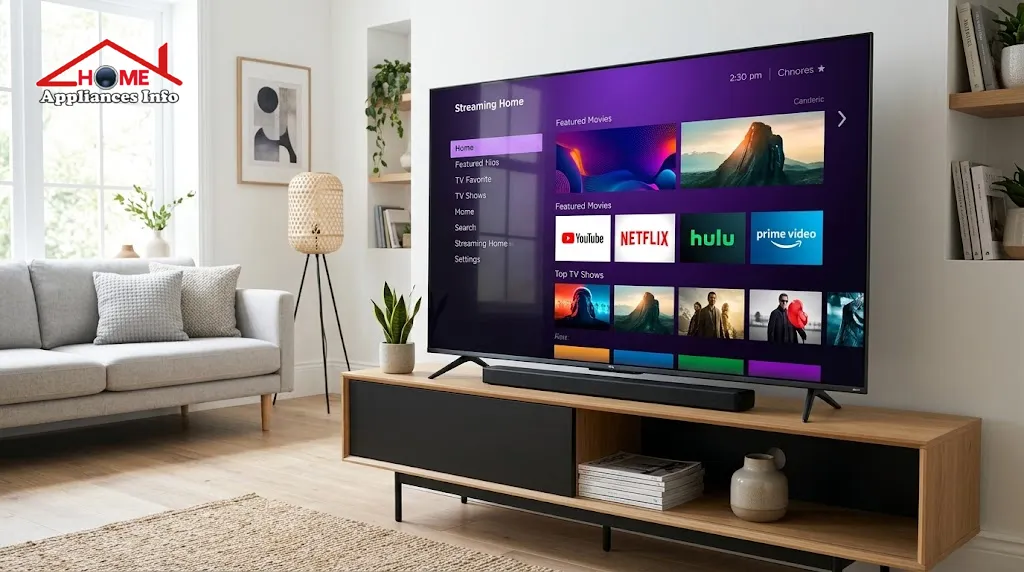
TCL began building Roku-powered sets after a partnership with Roku that it dates to 2014, according to TCL’s own partnership page. On these televisions, Roku supplies the operating system: the tile-based home screen, the channel store, the search function and the simplified remote. TCL supplies the panel, backlight, speakers and ports.
One detail trips up a surprising number of buyers. TCL does not put Roku on every television it sells. Depending on the model and the market, TCL sets run Roku, Google TV or Fire TV, and the same screen technology can appear under more than one platform. A retailer listing that simply says “TCL 4K Smart TV” is not enough. Look for “Roku TV” or “Roku OS” in the product title, then confirm it against the model number on the manufacturer’s page.
Region matters too. TCL and Roku announced the UK launch of TCL Roku TV models in 2021, in both HD and 4K UHD, but channel lineups, voice assistants and free content differ from one country to the next. If you live outside North America or the UK, check that Roku TV models are officially sold and supported where you are before going any further.
1. Screen Size and Viewing Distance
The most common regret with any television is a screen that looked right in a showroom and wrong in the living room. Showrooms are large and brightly lit, which makes everything seem smaller than it will at home.
Start with the wall or stand where the set will go and measure the width, then compare that against the television’s published dimensions, including the stand if you are not wall mounting. Then think about where people actually sit. A widely repeated rule of thumb puts a 4K set’s comfortable viewing distance at roughly one to one-and-a-half times the screen’s diagonal, which is closer than many people assume. Treat that as a starting point, not a law: some people prefer to sit further back, and a bright room changes the equation.
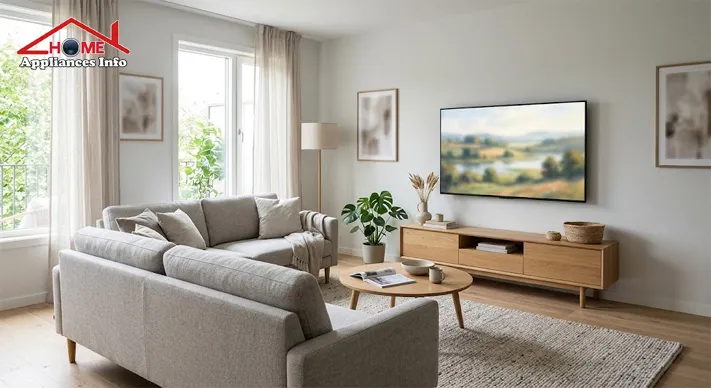
A TCL Roku TV 55 inch model suits many living rooms for this reason. It fills the field of view from a typical sofa without dominating a smaller space. Bedrooms and kitchens often do better with 32 to 43 inches, while large open-plan rooms can justify 65 inches and up.
2. Resolution and Picture Quality
Resolution describes how many pixels a screen has. HD and Full HD (1080p) sets are still sold, usually in smaller sizes, while 4K UHD is now the standard for 43 inches and above. The extra detail is easiest to notice on larger screens and with 4K content, which most major streaming services now offer on their higher tiers.
Resolution is only one ingredient, though. Two 4K sets can look quite different because contrast, peak brightness, colour range and image processing vary so much. A budget 4K panel with a basic LED backlight will handle daytime news and sitcoms well, yet look flat in a dark room during a night scene. QLED models add a quantum-dot layer for richer colour, and mini-LED models use many smaller backlight zones for better contrast, but neither label guarantees a result on its own.
If you are reading a TCL Roku TV review, look for measured results on a named model, such as brightness in nits and how well black levels hold up, rather than general praise for the line.
3. HDR Support and Display Technology
High Dynamic Range, or HDR, lets a television show a wider span from dark to bright and a broader range of colour in content that is mastered for it. Common formats include HDR10, HLG for broadcast and Dolby Vision, which some TCL Roku models list on their spec sheets.
Supporting a format is not the same as displaying it well. An HDR badge on an entry-level panel often means the television can read the signal, while it lacks the brightness to make highlights stand out. Brightness, contrast and local dimming, where the backlight is divided into zones that dim independently, usually decide whether HDR looks impressive or merely different.
If you mostly watch in a bright room, prioritise brightness. If you watch films in the evening with the lights low, contrast and dimming zones deserve more of your attention.
4. Refresh Rate and Gaming Features
A native 60Hz panel refreshes the picture 60 times per second, which is fine for ordinary television, streaming and most casual gaming. A native 120Hz panel doubles that and can look smoother in sports and on current consoles, provided the HDMI inputs support the matching signal.
The catch is marketing language. Spec sheets for some TCL Roku models mention figures such as “Clear Motion Index 240”, which describes motion processing and backlight techniques, not the native refresh rate of the panel. When comparing, look for the word “native” and the actual hertz figure.
For gamers, the checklist is longer: whether an HDMI port accepts 4K at 120Hz, whether variable refresh rate and an automatic low-latency mode are supported, and what independent testing says about input lag. If those terms mean little to you, a standard 60Hz model will serve everyday use well.
5. Roku Smart Features and App Availability
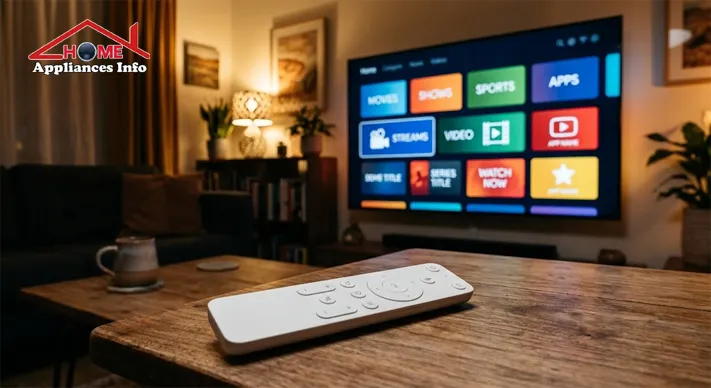
The Roku interface is one of the more approachable smart-TV systems: a grid of channel tiles, a search that spans services, and a remote with few buttons. TCL’s setup guidance notes that these sets connect through Wi-Fi, and that Ethernet is available on its 4K models, so check the back panel if you prefer a wired connection. The same guidance explains that the television must be linked to a Roku account before it can add channels, as detailed in TCL’s Roku TV setup and activation guide.
Before buying, confirm that your regular streaming apps exist in your country’s Roku channel store, since the most popular ones are widely available but some regional services are not. Look into voice control too. In the UK launch announcement, the companies said these sets can be controlled through Alexa or Google Assistant devices and support Apple HomeKit, but support varies by model and region.
6. Sound Quality and Connectivity
Thin televisions have little room for speakers, so built-in audio is usually adequate for news, dialogue and casual viewing and less satisfying for films or music. Many owners eventually add a soundbar.
That makes the HDMI ports worth examining before you buy. Count how many you need for a console, a streaming box or a set-top receiver, and check which one is marked ARC or eARC. ARC, the Audio Return Channel, lets the television send sound back to a soundbar through the same HDMI cable. eARC, the enhanced version, has far more bandwidth and is what carries lossless formats such as Dolby Atmos, a distinction the HDMI licensing body discusses on its blog. Both devices generally need eARC for it to work, and many entry-level sets offer ARC only.
Also check for USB ports, Bluetooth for headphones, and an optical audio output if you own older audio equipment.
7. Price, Warranty and Overall Value
The TCL Roku TV price depends on screen size, display technology, model year and the retailer’s promotions, and it can change from week to week. Compare the exact model number across several reputable sellers, and note the delivery charges and return window, because a cheap listing with a short return policy carries more risk than it appears to.
Warranty terms vary by country and retailer, so read the TCL television warranty and support conditions that apply where you live, and keep the receipt. A TV that is a year or two old and discounted often delivers better value than the newest model, unless that model adds brightness, contrast or gaming features you will really use.
TCL Roku TV Pros and Cons
The strengths are fairly consistent across the range. The software is simple to learn and easy for a mixed-age household to share, the lineup covers a wide span of sizes, and pricing is frequently competitive. The company has long positioned its Roku sets as good-value alternatives to bigger-name brands.
The weaknesses depend heavily on the model. Basic panels can lack brightness for sunlit rooms, built-in speakers are modest, native refresh rates are often 60Hz, and gaming features are thinner than on higher-priced sets. Software support, regional app availability and the ease of getting warranty service also deserve a few minutes of research.
A trustworthy TCL Roku TV review will name the exact model tested and separate its own measurements from claims in the manufacturer’s marketing.
How to Choose the Best TCL Roku TV for Your Needs
There is no single best TCL Roku TV for everyone, so the more useful question is which features matter most in your home.
| Buyer type | Prioritise | Often fine to skip |
|---|---|---|
| Budget streamer | Size, 4K resolution, Roku app support | Dolby Vision, high refresh rate |
| Movie fan | Contrast, local dimming, peak brightness, eARC | Gaming extras |
| Gamer | Native 120Hz, VRR, low input lag, HDMI 2.1 ports | Built-in speaker quality |
| Family or shared room | Brightness, easy interface, warranty, durability | Premium audio |
Shortlist two or three models with consistent criteria, then compare them on those columns rather than on star ratings alone.
TCL Roku TV vs Google TV
If you see both versions of a TCL set, the difference is the software, not the glass. Roku emphasises a simple, predictable home screen of channel tiles. Google TV puts more weight on personalised recommendations that pull from several services and tends to appear on TCL’s higher-end QLED and mini-LED lines in the US. Neither is inherently better. People who want fewer menus and a straightforward remote often lean towards Roku, while those who use Google accounts, Chromecast-style casting and Google Assistant may prefer Google TV.
Is a TCL Roku TV 55 Inch Worth Buying?
For many households it is a sensible middle size. It is large enough to feel immersive from a normal sofa distance and small enough to fit most living-room furniture. If you are looking at a 55-inch TCL Roku TV 4K model, confirm the resolution, the panel type, the native refresh rate, how many HDMI ports are available, and which supports ARC or eARC. Then compare its price against the 50-inch and 65-inch versions of the same line. Sometimes a larger set costs only slightly more, and sometimes a better 55-inch model beats a bigger but more basic one.
Final Verdict
A TCL Roku TV is worth considering if you want simple streaming, a sensible price and a size that fits your room, as long as you pick the specific model for the specific job. The brand pairing is a starting point and not a guarantee of quality.
Before ordering, confirm the platform, check HDR and refresh-rate claims against independent testing, count your HDMI ports and review the warranty and return policy where you live. If your priorities are clear, choosing among the models will take far less time than the shopping process suggests.
Frequently Asked Questions
Does every TCL television run Roku? No. TCL also sells models with Google TV and Fire TV, so confirm the platform in the product title and model number.
Can I use a TCL Roku TV without internet? You can connect devices through HDMI or an antenna without internet, but streaming apps, updates and account linking need a connection.
Is 120Hz necessary on a TCL Roku TV? Not for most viewers. Native 60Hz is adequate for streaming and general viewing, and 120Hz mainly benefits sports and gaming on supported consoles.
Should I buy a soundbar with it? The built-in speakers are often modest, so a soundbar is a common upgrade. Check for an ARC or eARC HDMI port first.
Where should I check the latest TCL Roku TV price? Compare current listings from authorised sellers in your country, with the exact model number, warranty and return policy visible.
References
- TCL, “Roku” partnership page, us.tcl.com
- TCL Support, “How to set up and activate your TCL Roku TV”
- Business Wire, “TCL Launches Roku TV Models in the UK”
- HDMI Licensing Administrator, HDMI Blog on ARC and eARC

📱 SMART HOME TECHNOLOGY CONSULTANT & IOT SPECIALIST
Alfredo Torres
Technology Consultant | Smart Home Automation & IoT Specialist (Lima, Peru)

🌐 Matter Protocol & IoT
⚡ Energy Efficiency
🛠️ Future-Proofing Infrastructure
Alfredo Torres is a seasoned technology consultant based in Lima, Peru, specializing in the integration of next-generation IoT ecosystems and smart home automation. With over a decade of experience navigating the rapidly evolving tech landscape of the Global South, Alfredo brings a unique, practical perspective to homeappliancesinfo.com.
As a specialist in the 2026 Matter protocol rollout, Alfredo focuses on bridging the gap between legacy household infrastructure and modern connectivity standards. His consulting work centers on “future-proofing” homes—helping users select appliances that offer maximum durability, energy efficiency, and cross-platform compatibility without the burden of “app fatigue.”
Alfredo’s expert insights are grounded in real-world problem solving, from optimizing smart kitchen workflows to implementing cost-effective home maintenance solutions in emerging markets. When he isn’t benchmarking the latest AI-integrated appliances, he can be found exploring the intersection of sustainable architecture and digital living.