

To support our research and detailed appliance reviews, we may earn a small commission from qualifying purchases made through our links, at no extra cost to you. As an Amazon Associate, I earn from qualifying purchases.
To support our research and detailed appliance reviews, we may earn a small commission from qualifying purchases made through our links, at no extra cost to you. As an Amazon Associate, I earn from qualifying purchases.
A Samsung 4K Smart TV can cost less than a weekend trip or more than a used car, and both can carry the same “4K” label. That gap is why the label alone tells you very little. What matters is how the panel is built, how big it is relative to your room, which HDMI ports it offers, and what you will pay once warranty and accessories are counted. Samsung’s own buying guide frames the decision around five key factors, starting with picture quality, and the seven features below follow that logic with more attention to trade-offs. samsung
One note on method: this guide is built from manufacturer specifications, retailer listings and published testing. It is not a hands-on review. Prices are US figures seen in listings on October 25, 2026, and they change often.
1. 4K Resolution Is the Starting Point, Not the Verdict
Ultra HD, usually called 4K, means a screen of 3,840 × 2,160 pixels, four times the pixel count of Full HD. Detail improves most on larger screens and with true 4K sources such as higher-tier streaming plans, 4K discs and current consoles. Older or lower-quality content is upscaled, which means the TV estimates the missing detail.
Resolution says nothing about contrast, peak brightness, colour range or how smoothly motion looks. Two 4K sets can look very different side by side, especially in a dark room. Treat 4K as the entry requirement and judge the panel on everything else.
2. Display Technology: Crystal UHD, QLED, Neo QLED and OLED
Samsung sells several panel types under similar names, and the differences are mostly about light control.
- Crystal UHD is a standard LED-lit LCD with Samsung’s processing. It is the most affordable tier and suits bright rooms and everyday viewing.
- QLED adds a quantum-dot layer to an LED backlight for stronger colour and brightness.
- Neo QLED pairs quantum dots with a Mini LED backlight, which uses many small lighting zones for tighter control over bright and dark areas.
- OLED lights each pixel individually, so black pixels can switch off entirely.
The Samsung Neo QLED vs OLED question comes down to room and priorities. Neo QLED generally gets brighter, which helps in sunlit living rooms. OLED produces deeper blacks, which tends to favour film watching with the lights low. Neither is better in every situation, and models within each family vary.
| Display type | Best suited to | Main strength | Main limit | Relative cost |
|---|---|---|---|---|
| Crystal UHD | Bedrooms, secondary TVs | Low price | Modest contrast | Lowest |
| QLED | Mixed everyday viewing | Colour and brightness | Backlight limits black depth | Low to mid |
| Neo QLED | Bright rooms, sports | Brightness with zone control | Costs more than QLED | Mid to high |
| OLED | Evening film viewing | Deep blacks | Costs more at larger sizes | Highest |
3. Screen Size and Viewing Distance
Showrooms are large and brightly lit, which makes every television look smaller than it will at home. Measure the wall or stand width first, then the distance from your seat to the screen.
A commonly cited rule of thumb for 4K sets puts comfortable viewing at roughly one to one-and-a-half times the screen’s diagonal. It is a starting point, because seating preferences and room light vary. In practice:
- 43 inches: bedrooms, kitchens, desks.
- 50 to 55 inches: a typical living room with seating about two to three metres away. A Samsung 55-inch 4K Smart TV is the most common middle choice.
- 65 inches: larger living rooms or viewers who like a cinematic feel.
- 75 inches and up: wider rooms with seating further back, assuming the wall and budget can handle it.
Sizing up sometimes costs less than expected. In the 2026 US lineup, Samsung’s Crystal UHD range spans 50 to 85 inches, with listed prices climbing from $299.99 for 50- and 55-inch models to $899.99 at 85 inches. samsung
4. HDR and Refresh Rate
High Dynamic Range (HDR) lets a TV show a wider span from dark to bright in content mastered for it. Samsung sets typically support HDR10, HLG for broadcast, and HDR10+, a dynamic format that adjusts brightness scene by scene. A Samsung HDR10+ television can display that format, but supporting HDR and showing it well are different things. Entry-level panels can read the signal without having the brightness to make highlights stand out.
Refresh rate is the number of times per second the picture updates. A native 60Hz panel is fine for streaming and casual play. A native 120Hz panel looks smoother in fast sports and on current consoles. A Samsung 4K TV refresh rate listed in marketing may also describe motion processing, not the panel itself, so look for the word “native.”
Listings do not always agree. For the 55-inch Crystal UHD U8000H, one Samsung page highlighted a 120Hz refresh rate, while a Sam’s Club listing described support for up to 60Hz. On the Neo QLED QN80H, Samsung advertises Motion Xcelerator 144Hz, and a European retailer’s spec sheet separates a 100Hz general refresh rate from 144Hz for gaming. The lesson is to confirm the exact model number’s spec sheet before paying. 55 Inch Class Crystal UHD AI Smart TV U8000H +3
5. Samsung 4K Smart TV Features: Tizen, Apps and SmartThings
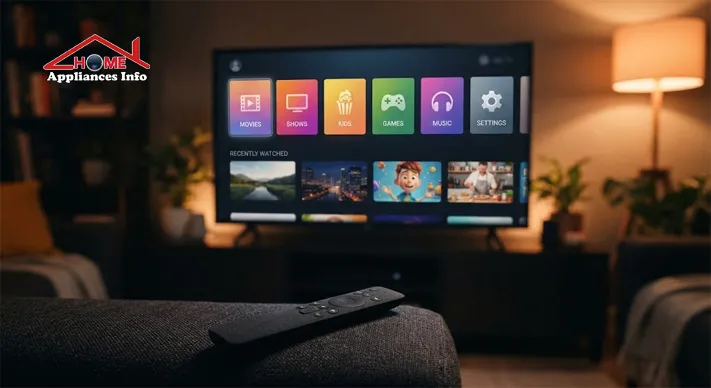
Samsung’s smart platform is Tizen, a TV operating system it builds into its sets. It handles the home screen, app store, search and settings. Most buyers use only a few parts of it:
- Streaming apps. Major services are generally available, but app support varies by model, region and software version, so check that your must-have apps exist for your country.
- Free channels. Samsung TV Plus offers ad-supported channels without a subscription.
- Voice control and casting. Models support built-in voice assistants and screen sharing from phones, with details varying by region.
- SmartThings. This lets the TV act as a hub for compatible smart home devices. It is useful only if you already own some, and our hub on smart home devices covers what is worth connecting.
- Gaming Hub. Retail listings describe it as a way to play video games without a console, through cloud services. bestbuy
Features also depend on software updates, so check how long updates are promised in your region before buying.
6. Gaming, Ports and Sound
Ports are easy to overlook until the day they run out. Count the devices you plan to connect (a console, a streaming box, a soundbar, a set-top box) and compare that against the HDMI inputs.
- HDMI 2.1. A Samsung 4K TV with HDMI 2.1 on selected ports can accept 4K at 120Hz, which matters for current consoles. Not every port, and not every model, supports it, so check which ports are marked.
- VRR and ALLM. Variable refresh rate reduces tearing, and auto low latency mode switches the TV into a faster setting when a console is detected.
- eARC. This HDMI port sends sound from the TV to a soundbar. Basic ARC can carry compressed surround, including streaming Atmos on many sets. eARC has the bandwidth for lossless formats such as those found on 4K discs. If you want a soundbar later, look for a port labelled eARC.
- USB and Bluetooth. Bluetooth is handy for headphones, and USB is useful for media files.
Built-in speakers on slim TVs are adequate for news and dialogue and less satisfying for films, which is why many buyers add a soundbar. If your main use is competitive PC gaming at a desk, a dedicated gaming monitor may suit the space better than a large TV.
7. Samsung 4K Smart TV Price, Energy Use and Warranty
The Samsung 4K Smart TV price depends on panel type, size, model year and retailer. These figures from US listings show the spread for 55-inch models:
- Crystal UHD U8000H: $299.99 on Samsung’s US page, and $297.99 at Sam’s Club. samsungsamsclub
- Neo QLED QN80H: $1,299.99 on Samsung’s US page. samsung
- OLED S90H: a 65-inch model appeared at $1,497.99, down from $1,697.99, at Sam’s Club. samsclub
Outside the US, a UK retailer listed the 55-inch QN80H at £899, marked down from £1,299. Treat all of these as snapshots, since promotions shift weekly. smarthomesounds
Compare the full cost. Delivery, a compatible wall mount, a soundbar and cables can add up. Warranty terms vary too: the Sam’s Club listing says the purchase includes a 3-year Samsung warranty, while a Dutch retailer describes a 5-year warranty extending the standard 2-year coverage. Read what applies in your country. Return windows matter as well, because unit-to-unit variation in backlight uniformity is a recognised issue on budget sets, as our look at panel variation on budget sets explains, so test your TV with dark scenes soon after unboxing. samsclubcoolblue
On running costs, ENERGY STAR describes certified televisions as more energy efficient than conventional models across sleep, idle and on modes. Larger and brighter screens draw more power, and vivid picture modes use more than default ones. energystar
A Samsung 4K Smart TV Review: What Independent Testing Adds
Manufacturer specifications tell you what a TV is designed to do. Independent testing shows what it actually does. RTINGS publishes model-specific measurements of brightness, contrast, gaming performance and viewing angles, which helps verify marketing claims. Their Samsung TV reviews are organised by model, which is the level that matters, since two Samsung TVs with similar names can perform differently. When you read any Samsung 4K Smart TV review, look for the exact model number, measured results and the room conditions behind the verdict.
Choosing the Best Samsung 4K Smart TV for Home
There is no single best Samsung 4K Smart TV for home use, so match the set to the way you watch.
- Bedroom or small room: a 43- or 50-inch Crystal UHD keeps cost and size down.
- Family living room with daytime viewing: a 55- or 65-inch QLED or Neo QLED, where brightness helps.
- Film watching in the evening: OLED, for deeper blacks, or Neo QLED if the room is not fully dark.
- Sports: brightness and motion handling, with a native 120Hz panel if it fits the budget.
- Gaming: HDMI 2.1 ports, VRR and ALLM, confirmed on the exact model.
If you are cross-shopping a different platform at the budget end, our TCL Roku TV buying guide covers the same checks for that brand.
Pre-Purchase Checklist
- Confirm the exact model number, not just the series name.
- Check native refresh rate, HDR formats and which HDMI ports support what.
- Verify the apps you use are available in your country.
- Compare the total cost, warranty and return window across at least two sellers.
- Read model-specific independent testing.
- Measure the wall space and seating distance.
Installing It Safely
Follow Samsung’s installation instructions for your model. Use a wall mount rated for the TV’s size and weight, secure the set against tipping if it sits on a stand, and keep ventilation openings clear so heat can escape.
Frequently Asked Questions
Is 4K worth it on a smaller TV? On a 43-inch set viewed from several metres away, the extra detail is harder to notice. It still helps with text-heavy content, and 4K has become standard at that size.
Is 60Hz enough? For streaming and casual gaming, yes. Choose native 120Hz if you watch fast sports or play on a current console that supports it.
Do I need a soundbar? Not necessarily. Built-in speakers handle dialogue well enough, but films and music usually benefit from a soundbar, so look for ARC or eARC.
Does a Samsung 4K Smart TV need Wi-Fi? It works as a display for HDMI and antenna sources without a network, but apps, updates and smart features need an internet connection.
Should I buy last year’s model? Often, yes. If the older model has the same panel type and the ports you need, the saving can be meaningful. Check the specification sheet and warranty first.
Conclusion
A Samsung 4K Smart TV is easiest to choose when you ignore the badge and look at the parts: panel type, size, native refresh rate, ports, smart features and total cost. Start with your room and seating distance, decide how much you will game or watch films, and confirm the details on the exact model’s spec sheet. Compare prices across sellers, read independent testing, and check the warranty where you live. For more help with similar decisions, browse our buying guides.
References
- Samsung US, “Here’s what to look for when buying a TV” (TV Buying Guide), samsung.com/us/tvs/tv-buying-guide
- RTINGS, “Samsung TV Reviews,” rtings.com/tv/reviews/samsung
- ENERGY STAR, “Televisions,” energystar.gov/products/televisions

📱 SMART HOME TECHNOLOGY CONSULTANT & IOT SPECIALIST
Alfredo Torres
Technology Consultant | Smart Home Automation & IoT Specialist (Lima, Peru)

🌐 Matter Protocol & IoT
⚡ Energy Efficiency
🛠️ Future-Proofing Infrastructure
Alfredo Torres is a seasoned technology consultant based in Lima, Peru, specializing in the integration of next-generation IoT ecosystems and smart home automation. With over a decade of experience navigating the rapidly evolving tech landscape of the Global South, Alfredo brings a unique, practical perspective to homeappliancesinfo.com.
As a specialist in the 2026 Matter protocol rollout, Alfredo focuses on bridging the gap between legacy household infrastructure and modern connectivity standards. His consulting work centers on “future-proofing” homes—helping users select appliances that offer maximum durability, energy efficiency, and cross-platform compatibility without the burden of “app fatigue.”
Alfredo’s expert insights are grounded in real-world problem solving, from optimizing smart kitchen workflows to implementing cost-effective home maintenance solutions in emerging markets. When he isn’t benchmarking the latest AI-integrated appliances, he can be found exploring the intersection of sustainable architecture and digital living.