

To support our research and detailed appliance reviews, we may earn a small commission from qualifying purchases made through our links, at no extra cost to you. As an Amazon Associate, I earn from qualifying purchases.
To support our research and detailed appliance reviews, we may earn a small commission from qualifying purchases made through our links, at no extra cost to you. As an Amazon Associate, I earn from qualifying purchases.
A smart dimmer switch replaces your ordinary wall switch with one that sets brightness from the paddle, a phone app or a voice assistant. Choosing a good one depends less on app features than on three practical questions: does the wall box contain a neutral wire, which LED bulbs are on that circuit, and which smart-home platform do you already use? If your box has a neutral and you want hub-free control, the Tapo S505D and the Leviton Decora Smart Wi-Fi dimmer are the simplest fits. If it has no neutral, Lutron Caséta dimmers are designed for that situation. The seven options below cover both cases, plus Zigbee and Z-Wave choices for people who run a hub. Specifications come from manufacturer and retailer documentation, not hands-on testing, and this guide focuses on 120 V products sold in North America.
What Makes a Smart Dimmer Different From a Smart Switch
A standard smart switch has two states, on and off. A smart dimmer adds the range in between. It can hold a room at 20 percent for a film, raise it for homework, and recall those levels through a schedule or scene. Retail listings call the same product a smart dimmer light switch or a smart light dimmer switch, so you can treat those labels as interchangeable while shopping.
The dimmer only controls the power. The bulb has to be able to follow. Putting a dimmer on non-dimmable LED bulbs is a mismatch no matter how capable the switch is.
Will a Smart Dimmer Work With LED Bulbs?
Yes, as long as the bulbs are labeled dimmable and the pairing is a good one. Most wall dimmers use phase-cut dimming, which trims part of each AC cycle to reduce power. Incandescent bulbs respond smoothly to that. LED bulbs contain a driver circuit, and drivers react differently to the trimmed waveform. A U.S. Department of Energy GATEWAY report found that poor results are often a compatibility problem between a particular LED source and a particular dimmer, rather than a defect in either one. The same report lists LEDs that do not dim, dim erratically, switch off too early, stay lit when they should be off, flicker, or produce audible noise. You can read the details in the DOE report on dimming LEDs with phase-cut dimmers. energyenergy
Those symptoms match what homeowners usually describe after a swap: shimmer at low levels, a faint buzz, a short dimming range, or a bulb that glows when it should be dark. If flicker appears after installation, this explanation of LED flicker covers the common causes, and trying a bulb the dimmer maker lists as compatible is the quickest test.
Load ratings matter as well. The DOE report gives an example of a dimmer rated for 600 W of incandescent bulbs but only 150 W of LEDs. Add up your bulbs before buying. Six 9 W bulbs total 54 W, well inside a 150 W LED rating. Ten 12 W bulbs reach 120 W, close enough to the limit that a higher-capacity model or a second circuit is sensible. In practice, a smart switch for dimmable LED bulbs is a dimmer whose maker lists LED loads, states a wattage limit for them, and ideally publishes bulb-specific compatibility data. Lutron, for example, issues compatibility reports for individual bulb models. energyenergy
The Neutral Wire: Answer This Before You Buy
A neutral wire completes the return path to the electrical panel and gives the dimmer steady power for its radio and electronics. The DOE report explains that two-wire dimmers must power their circuitry through the lamp itself, which becomes harder with wireless features and with LED loads, and that U.S. construction now requires neutrals at wall boxes in almost all new and remodel work. Older houses often lack one, which is why no-neutral models exist. energy
To check, switch off the breaker, remove the wall plate, and pull the switch forward without touching the conductors. Look for a bundle of white wires capped together at the back of the box. Not every white wire is a neutral. Zooz specifically warns that the white wire in 14-3 cable is usually not one. A voltage tester confirms the power is off, and an electrician can settle any doubt. ameridroid
7 Best Smart Dimmer Switches for 2026
These are grouped by wiring and ecosystem rather than ranked. No single dimmer suits every house.
1. Lutron Caséta Diva Smart Dimmer (DVRF-6L)
The Diva keeps the familiar paddle-and-slider look and is the first model to consider when the box has no neutral. Retail documentation lists the DVRF-6L as neutral-free, rated for up to 150 W of dimmable LED, and usable in 3-way circuits with a mechanical switch, Pico remote or Claro accessory switch. App control and links to Alexa, Apple Home and Google Home run through a Lutron Smart Hub. The listed load types are dimmable LED, incandescent and halogen, so low-voltage fixtures need a different Lutron model (see number 6). Lutron DVRF-6L-WH Diva Smart Dimmer for Caseta +2
Best for: older homes where a paddle look and no-neutral wiring both matter.
2. TP-Link Kasa Smart Wi-Fi Dimmer (KS230 3-Way Kit)
Kasa suits people who want straightforward app control. The KS230 connects directly to home Wi-Fi without a hub and works with Alexa, Google Assistant and SmartThings. It requires a neutral wire and 2.4 GHz Wi-Fi. The kit replaces a pair of 3-way switches with a main dimmer and a satellite unit, and it cannot be used in a 4-way configuration. One published listing gives its capacity as 150 W of dimmable LED or 300 W of incandescent. A retailer listing also notes that the dimming function does not support smart Wi-Fi bulbs. Kasa Smart Wi-Fi Dimmer Switch 3-Way +4
Best for: a two-switch hallway or stairway with a neutral at the main box.
3. TP-Link Tapo S505D
The Tapo S505D pairs Wi-Fi with Matter certification. TP-Link says it can be added through the Alexa, Google Home or Apple Home apps by scanning its Matter code, with Bluetooth onboarding in the Tapo app. Listed features include brightness control and fade on/off. It requires a neutral wire and is rated for 150 W of TRIAC-dimmable LED or 300 W of incandescent or halogen. It works as a single-pole dimmer out of the box. TP-Link’s Tapo Smart Button can extend it to 3-way or 4-way control without rewiring, though the button is sold separately and TP-Link’s notes should be checked for hub requirements. See the Tapo S505D product page for current details. Smart Wi-Fi Dimmer Light Switch, Matter +3
Best for: people who want a Matter-ready dimmer on Wi-Fi, with a neutral available.
4. Leviton Decora Smart Wi-Fi 2nd Gen Dimmer (D26HD)
Leviton is an established electrical-device maker, and this dimmer needs no hub. It works through the My Leviton app with Alexa, Google Assistant, Apple Home and SmartThings, and Matter support is enabled by a firmware update. Leviton’s setup guide notes that a Matter controller or hub is needed if you connect that way. A neutral is required, and 3-way use depends on companion units such as the DD00R wired companion or the DAWDC wire-free companion. It supports dimmable LED, incandescent, halogen and magnetic low-voltage loads. Leviton’s own D26HD page lists the accessories. D26HD 1bw +3
Best for: broad ecosystem support, with a neutral and optional wired or wire-free 3-way companions.
5. Inovelli Blue Series 2-in-1 (VZM31-SN)
This one is aimed at enthusiasts. It is a Zigbee 3.0 switch configurable as a dimmer or on/off switch, with multi-tap scene control and an RGB notification bar, and it controls locally without an Inovelli cloud. It needs a Zigbee hub or gateway. It can work without a neutral, but low-load installs may need a bypass at the fixture. Without a neutral you lose power monitoring and cannot pair it with an ordinary switch in a 3-way setup, so an Inovelli Aux switch is required. blue 2 1 switch vzm31 sn +3
Best for: Home Assistant, ZHA or Zigbee2MQTT users who value automation depth over simplicity.
6. Lutron Caséta Original Smart Dimmer (PD-6WCL)
Same ecosystem as the Diva, with a push-button face instead of a paddle. The PD-6WCL needs no neutral and handles dimmable LED, incandescent and halogen bulbs, with local control through the Lutron Smart Bridge. Electronic low-voltage fixtures like under-cabinet or track lighting call for a different version. The PD-5NE ELV+ dims up to 250 W of LED, works in single-pole or 3-way circuits, and requires a neutral. selorahomesselorahomes
Best for: no-neutral boxes where you prefer the classic Caséta styling.
7. Zooz ZEN72 / ZEN77 (Z-Wave)
Existing Z-Wave households are better served by one of these than by adding another Wi-Fi ecosystem. Both need a neutral and a Z-Wave gateway. The ZEN77 is rated for 100 W of LED or 300 W of incandescent, with Z-Wave Long Range if your hub supports it. It is only 1.16 inches deep, which helps in crowded boxes. The ZEN72 is rated for 150 W of LED and connects to an existing standard switch for 3-way control. zooz 800 series z wave long range s2 dimmer switch zen77 800lr +4
Best for: Z-Wave and Home Assistant users who want a local, hub-based dimmer.
At a Glance
| Dimmer | Connection | Neutral wire | Suited to |
|---|---|---|---|
| Lutron Caséta Diva (DVRF-6L) | Lutron RF + Smart Hub | Not required | Older wiring, paddle look |
| Kasa KS230 3-way kit | 2.4 GHz Wi-Fi | Required | Simple app control |
| Tapo S505D | Wi-Fi + Matter | Required | Cross-platform homes |
| Leviton D26HD | Wi-Fi, Matter by update | Required | Broad ecosystem support |
| Inovelli Blue 2-in-1 | Zigbee 3.0 hub | Optional (bypass may be needed) | Advanced automation |
| Lutron Caséta PD-6WCL | Lutron RF + hub | Not required | No-neutral push-button |
| Zooz ZEN72 / ZEN77 | Z-Wave hub | Required | Existing Z-Wave homes |
Wi-Fi, Zigbee, Z-Wave or Matter: Which Connection Fits?
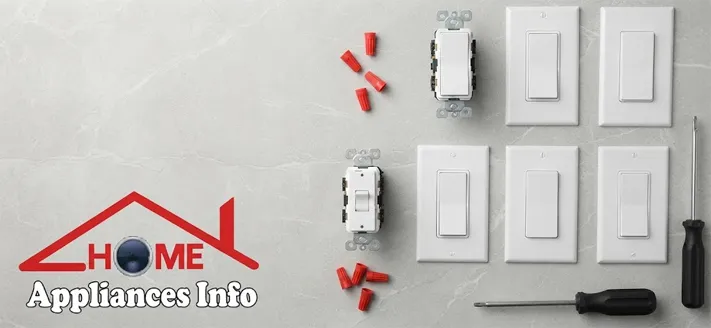
A WiFi dimmer switch joins your router directly, so setup is usually an app and a code, with no extra hardware. The trade-offs are dependence on your network and the 2.4 GHz band, which the Kasa, Tapo and Leviton listings above all specify. Several Wi-Fi devices in one house also add to your router’s load.
Zigbee and Z-Wave dimmers talk to a hub instead. They suit larger or automation-heavy homes, and the switches double as mesh repeaters: Inovelli notes its mains-powered Zigbee switch repeats the signal for nearby battery sensors, and Zooz makes a similar claim for its Z-Wave dimmers. The cost is a more involved setup and a dependence on your hub’s software. selorahomesapolloautomation
Matter is an interoperability standard developed by the Connectivity Standards Alliance. It runs on Wi-Fi and Thread, so a certified product can be used across several ecosystems. That makes it attractive if your household mixes Apple, Google and Amazon devices. Expect basic on/off and brightness to carry over cleanly, and check whether deeper settings, such as fade rates or bulb-type selection, stay inside the manufacturer’s app. digikey
When a Wall Dimmer Is the Wrong Tool
Renters and people who would rather not touch wiring sometimes turn to smart bulbs instead. That works well, with one rule: leave the wall switch on and do the dimming in the app. Pairing smart bulbs with a conventional wall dimmer tends to cause flicker, which echoes the Kasa listing’s warning above.
For a table lamp that only needs scheduling, a plug-in smart plug is simpler still. Plugs generally switch power on and off rather than dim, so they fit lamps where a schedule is enough.
Before You Buy: A Short Checklist
- Confirm the bulbs say dimmable, and look for the dimmer maker’s compatibility list.
- Find out whether the wall box has a neutral.
- Compare your total bulb wattage with the LED rating, not the incandescent rating.
- Decide whether the circuit is single-pole, 3-way or 4-way, and budget for companion units.
- Match the dimmer to your platform: Alexa, Google Home, Apple Home, a Matter controller, Zigbee or Z-Wave.
- Check box depth if the space is crowded.
FAQs
Can I use a smart dimmer with non-dimmable LED bulbs?
It isn’t advisable. The DOE report notes that some LED sources do not dim at all, and a non-dimmable bulb may flicker, hum or fail early on a dimmer. Swap to dimmable bulbs first. energy
Does every smart dimmer need a hub?
No. Kasa, Tapo and Leviton dimmers connect over Wi-Fi without one. Lutron Caséta uses a Smart Hub for app and voice control, while Inovelli’s Zigbee switch and Zooz’s Z-Wave dimmers need a compatible gateway.
Why does my dimmer buzz or flicker at low brightness?
The usual cause is a mismatch between the bulb’s driver and the dimmer. Try a bulb on the maker’s compatibility list, and look for bulb-type settings in the app. Leviton’s dimmer, for instance, offers custom bulb-type, fade-rate and preset settings. If only one bulb misbehaves, even on a plain switch, it may be failing, and this guide on how to repair an LED bulb covers safe checks. leviton
Is Matter worth paying extra for?
It helps most in mixed-ecosystem homes or when you may switch platforms later. If you stay entirely within one ecosystem, a non-Matter dimmer can work just as well.
Can I install a smart dimmer myself?
Many homeowners do, with the breaker off and the wires verified dead with a tester, following the manufacturer’s diagram. Call an electrician if the wiring looks unfamiliar, there is no clear line and load, or local rules require licensed work.
Conclusion
The best smart dimmer switch is the one that matches your wall box, your bulbs and your smart-home platform, not the one with the longest feature list. Check for a neutral first, add up your LED wattage second, and choose the connection type third. With a neutral and a Wi-Fi network, the Tapo S505D and Leviton D26HD are easy starting points. Without one, look at the Caséta models. Hub users can lean toward Inovelli or Zooz. For ideas on what to automate next, browse more smart home devices.
References
- U.S. Department of Energy, Solid-State Lighting Program (prepared by Pacific Northwest National Laboratory): Dimming LEDs with Phase-Cut Dimmers: The Specifier’s Process for Maximizing Success (PNNL-22945). https://www1.eere.energy.gov/buildings/publications/pdfs/ssl/2013_gateway_dimming.pdf
- Leviton: Decora Smart Dimmer Switch, Wi-Fi, Neutral Wire Required (D26HD-1BW). https://leviton.com/products/D26HD-1bw
- TP-Link Tapo: Smart Wi-Fi Dimmer Light Switch, Matter (Tapo S505D). https://www.tapo.com/en/product/smart-switch/tapo-s505d/v1/?app=t

📱 SMART HOME TECHNOLOGY CONSULTANT & IOT SPECIALIST
Alfredo Torres
Technology Consultant | Smart Home Automation & IoT Specialist (Lima, Peru)

🌐 Matter Protocol & IoT
⚡ Energy Efficiency
🛠️ Future-Proofing Infrastructure
Alfredo Torres is a seasoned technology consultant based in Lima, Peru, specializing in the integration of next-generation IoT ecosystems and smart home automation. With over a decade of experience navigating the rapidly evolving tech landscape of the Global South, Alfredo brings a unique, practical perspective to homeappliancesinfo.com.
As a specialist in the 2026 Matter protocol rollout, Alfredo focuses on bridging the gap between legacy household infrastructure and modern connectivity standards. His consulting work centers on “future-proofing” homes—helping users select appliances that offer maximum durability, energy efficiency, and cross-platform compatibility without the burden of “app fatigue.”
Alfredo’s expert insights are grounded in real-world problem solving, from optimizing smart kitchen workflows to implementing cost-effective home maintenance solutions in emerging markets. When he isn’t benchmarking the latest AI-integrated appliances, he can be found exploring the intersection of sustainable architecture and digital living.